
 AI Inspiration World
Added Nov 13, 2026
Universal Skill Finder
A skill search tool that runs inside Claude Code or Codex and queries several skill registries and GitHub at once.
- Ecosystem
- Agent Skills
- Skill category
- Productivity
- Creator / organization
- Bilgin Ibryam(GitHub bibryam)
More images
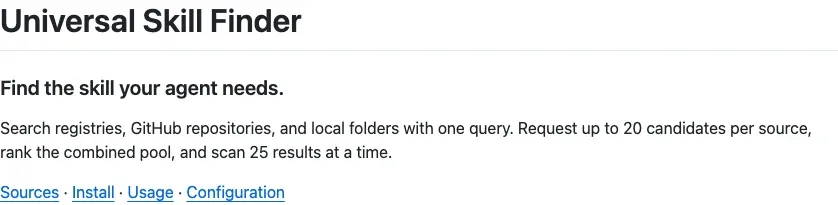
Screenshot from the project's website. All rights belong to the original creator. Contact us if you would like it removed.
What it is
Universal Skill Finder is a skill search tool by Bilgin Ibryam that runs inside a coding agent such as Claude Code, Codex, or your terminal. With one query it searches skill registries (for example skills.sh, SkillsMP, ClawHub), GitHub repositories, and local folders, then merges and ranks the results. Searching never installs or executes the skills it finds. Installation is a separate step.
Highlights:
- One query covers several registries, GitHub repositories, and local folders, with merged ranking
- The default sources need no registry account or API key
- Searching does not execute discovered instructions, scripts, hooks, or packages
- For Codex and Claude Code it can generate install commands and check installed skills
How to use:
- In Claude Code, first run `claude plugin marketplace add bibryam/universal-skill-finder`, then `claude plugin install skill@skill`
- In Codex, first run `codex plugin marketplace add https://github.com/bibryam/universal-skill-finder.git`, then `codex plugin add skill@skill`
- Finally, type what kind of skill you want in your coding agent and review the merged results
Who it's for:
People who use Claude Code or Codex and want to find the right agent skill quickly.
Before you start:
- Requires Python 3.10 or newer (with SSL) and a coding agent that supports skills and can run local commands
- Search queries are sent to enabled remote search services; configured GitHub repositories are downloaded and filtered locally; local discovery reads SKILL.md files on your machine and does not upload project files
- The tool itself has no analytics or telemetry; when you install with the Skills CLI, it sends anonymous usage statistics by default, which you can turn off with DISABLE_TELEMETRY=1 or DO_NOT_TRACK=1
- Some sources require an API key
- It only discovers skills and does not scan them for security, so review a skill before installing it. If you use these features, weigh the safety risks yourself. AI Inspiration World is not responsible for any consequences.
- Cost: not stated on the page
- License: MIT
Based on the project's public documentation. Not tested by AI Inspiration World.