
 AI Inspiration World
Added Nov 27, 2026
spec-workflow-mcp
spec-workflow-mcp helps developers organize AI-assisted work into requirements, design and tasks.
- Ecosystem
- Claude
- Skill category
- Coding
- Creator / organization
- Pimzino
More images
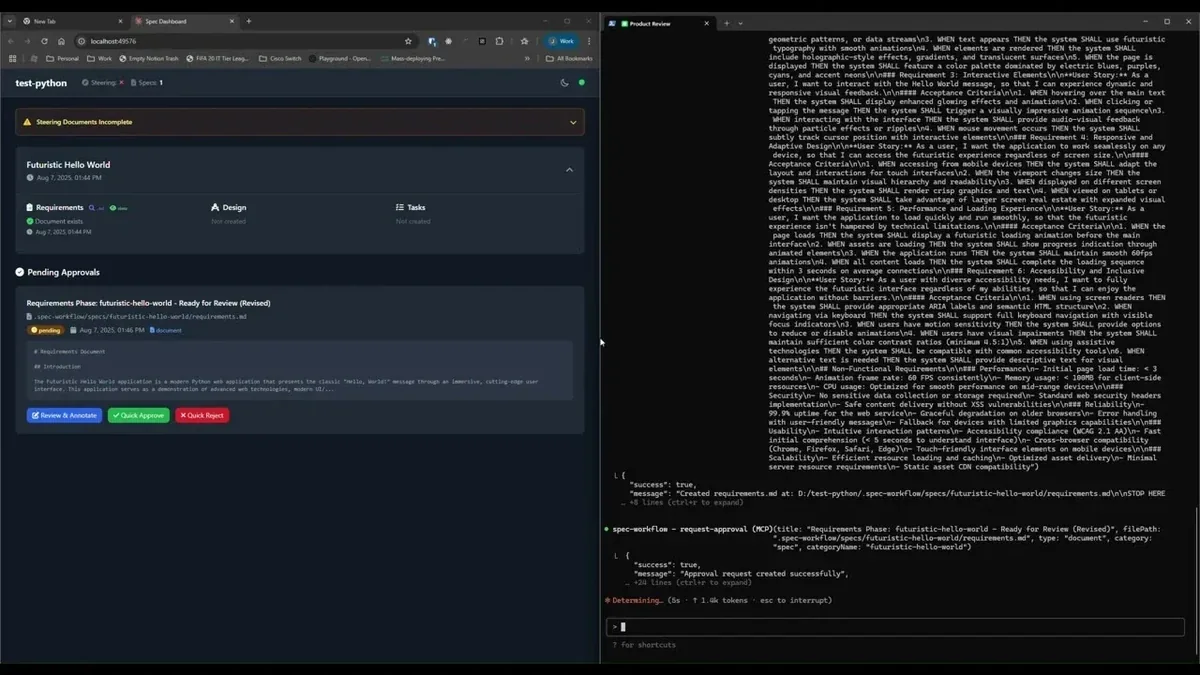
Screenshot from the project's website. All rights belong to the original creator. Contact us if you would like it removed.
What it is
spec-workflow-mcp is a Model Context Protocol (MCP) server by Pimzino that connects to AI tools including Claude Code, Cursor and Codex. It organizes development into requirements, design and tasks, with a real-time web dashboard and a VSCode extension for tracking project progress.
Highlights:
- Create specifications in requirements, design and task order.
- Review and revise work through an approval workflow, and monitor progress on the dashboard.
- Search implementation logs with code statistics.
How to use:
- First, set the command to `npx` in your AI tool's MCP configuration, with `-y`, `@pimzino/spec-workflow-mcp@latest` and your project directory path as arguments.
- Then run `npx -y @pimzino/spec-workflow-mcp@latest --dashboard` to open the web dashboard and check progress.
Who it's for:
Developers who want to organize AI-assisted software development around specifications.
Before you start:
You need an MCP-compatible tool and must provide the project directory path in its configuration. The dashboard binds to the local machine by default. The project says HTTPS/TLS and user authentication are not implemented, and recommends a reverse proxy with TLS and authentication for external access. If you use these features, weigh the safety risks yourself. AI Inspiration World is not responsible for any consequences. The license is GPL-3.0.
Based on the project's public documentation. Not tested by AI Inspiration World.