
 AI Inspiration World
Added Nov 9, 2026
popup-carousel-book
An open-source Skill that lets your AI agent turn a story into a 3D paper-cut pop-up book web page you can spin and flip through.
- Ecosystem
- Agent Skills
- Skill category
- Media
- Creator / organization
- 萝卜AI笔记(zhouwei713)
More images
What it is
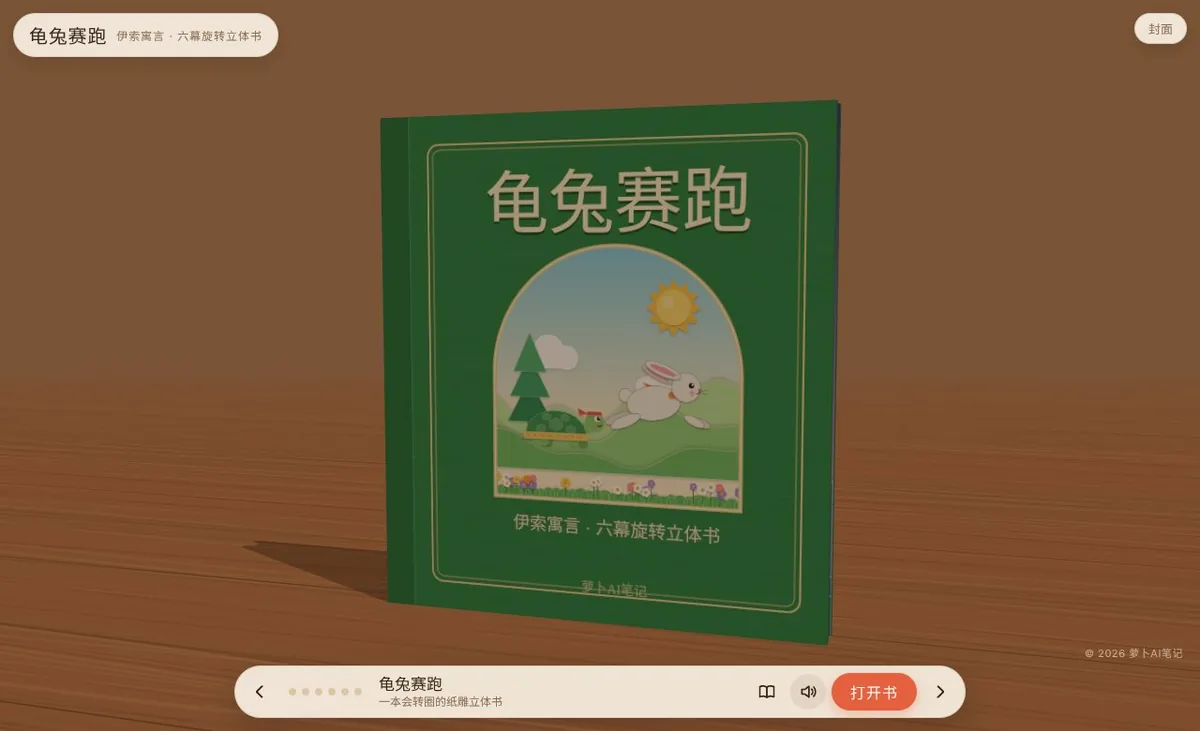
popup-carousel-book is an open-source Skill by 萝卜AI笔记 (GitHub user zhouwei713). You give your AI agent a story topic, and it builds a 3D paper-cut pop-up book web page. The result is a single HTML file you open with a double click. The book stands on a wooden desk and opens by itself, with its pages arranged in a circle. Four to eight wedge-shaped spaces each hold one layered paper-cut scene. The left page prints the story of that scene, and the buttons at the bottom make the characters move. If you say "make a pop-up book of The Crow and the Pitcher", the agent writes a six-scene story, arranges the sets, designs the action for each scene and builds the page. The README says it works as an Agent Skill in Claude, Claude Code, Codex and other agents that can read and write files. For background music, the README says each scene gets a mood tune matched to the story and synthesized live in the browser, and describes it as having “no copyright worries”.
Highlights:
- The result is a single HTML file you open with a double click
- You can drag the book to spin it, or close it to see the front and back covers
- Each scene has a button-triggered action, plus reading cards, background music and sound effects
- By default characters are drawn in code; when the agent finds a usable image model, it generates the main character, cuts it out and embeds it in the page
How to use:
- First, install it. In Claude Code run `git clone https://github.com/zhouwei713/popup-carousel-book ~/.claude/skills/popup-carousel-book`; for Claude on the web or desktop, download the repository zip and upload it under Skills in Settings.
- Then tell your agent, for example, "use the pop-up book skill to make a book of Little Red Riding Hood".
- Finally, open the generated HTML file, drag to spin the book and press the bottom buttons to see the characters move.
Who it's for:
People who want to turn a story into an interactive pop-up book page and already use an AI agent such as Claude or Codex.
Before you start:
- If you use an agent, it needs to be able to read Skill files and read and write files. Building by hand without an agent needs only Python 3, and the optional screenshot check needs Node and Playwright.
- When opened, the finished page loads three.js 0.160.0 from jsDelivr and fonts from Google Fonts. If Google Fonts cannot be reached, fonts fall back to system fonts and the other features keep working.
- The agent writes HTML files, and in image mode it also generates and processes images. If you use these features, weigh the safety risks yourself. AI Inspiration World is not responsible for any consequences.
- The README asks you to use public domain works or original stories and not to copy copyrighted characters. Only use material you have the rights to; you are responsible for compliance.
- The code is published under the MIT license; fees are subject to the official site.
- Licenses are subject to the official website. Content belongs to the original creator.
Based on the project's public documentation. Not tested by AI Inspiration World.