
 AI Inspiration World
Added Nov 16, 2026
Mindmap MCP Server
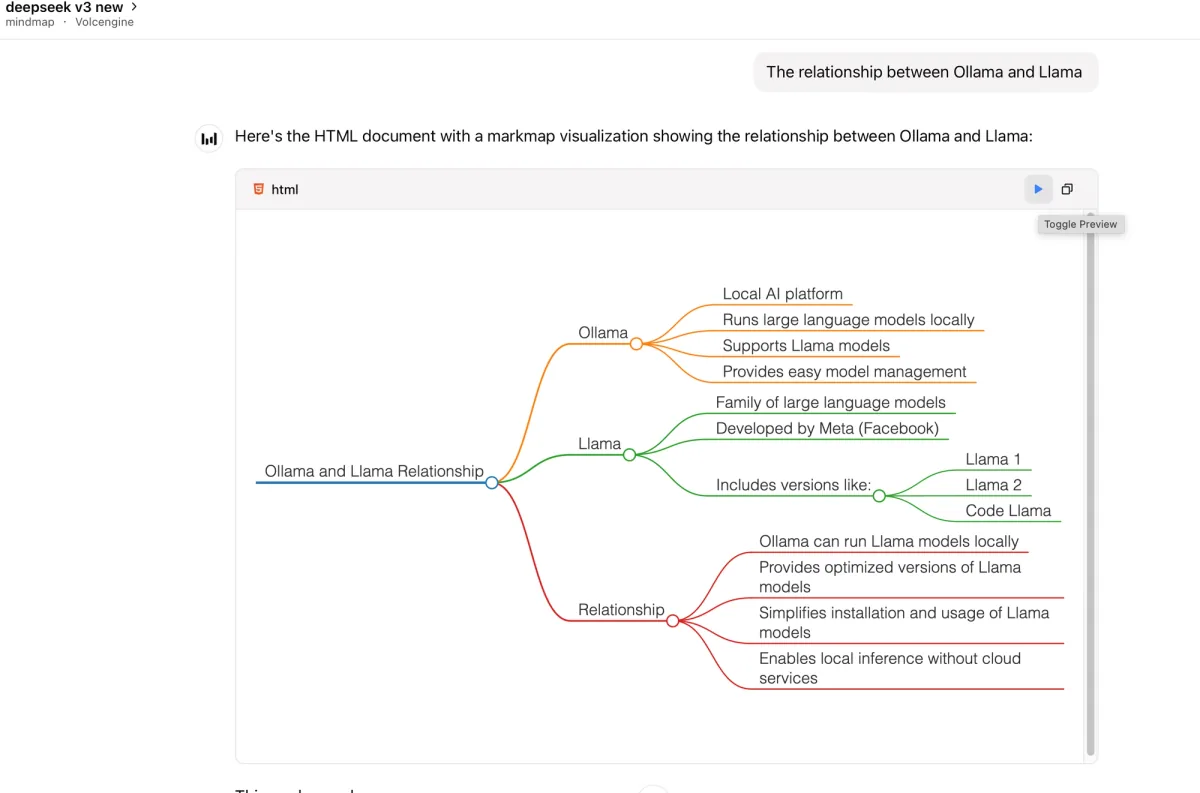
An MCP server that converts Markdown into interactive mindmaps, for AI assistants to call.
- Ecosystem
- Other
- Skill category
- Productivity
- Creator / organization
- YuChenSSR(GitHub)
More images
Screenshot from the project's website. All rights belong to the original creator. Contact us if you would like it removed.
What it is
Mindmap MCP Server is a Model Context Protocol (MCP) server that converts Markdown content into interactive mindmaps. It is built on the markmap-cli library and is called by MCP-capable AI assistants such as Claude Desktop. The repository is under YuChenSSR and can be installed with pip, uvx or Docker.
Highlights:
- Offers two return modes, html and filePath. The filePath mode saves the mindmap to a file and returns the path, which the README says can save tokens
- Can create mindmaps that work offline
- The README also includes a system prompt as an alternative to running the server
How to use:
- First install it: `pip install mindmap-mcp-server`, `uvx mindmap-mcp-server`, or `docker pull ychen94/mindmap-converter-mcp`
- Then add it to your MCP client
- Finally ask your AI assistant to pass Markdown content to it, and in filePath mode open the returned file in your browser
Who it's for:
People who want an AI assistant to turn notes or outlines straight into mindmaps.
Before you start:
- Running with pip or uvx requires Node.js to be installed first
- The README says all three install methods were tested on macOS and Linux, and Windows users who run into problems can use Docker
- With Docker you mount a local output folder into the container (-v /path/to/output/folder:/output); replace the path with a real path on your machine
- The page does not say what data it reads, or whether it goes online or uploads content
- The page does not mention cost; the license is MIT License
Based on the project's public documentation. Not tested by AI Inspiration World.