
 AI Inspiration World
Added Nov 16, 2026
Excalidraw MCP Server, CLI & Agent Skill
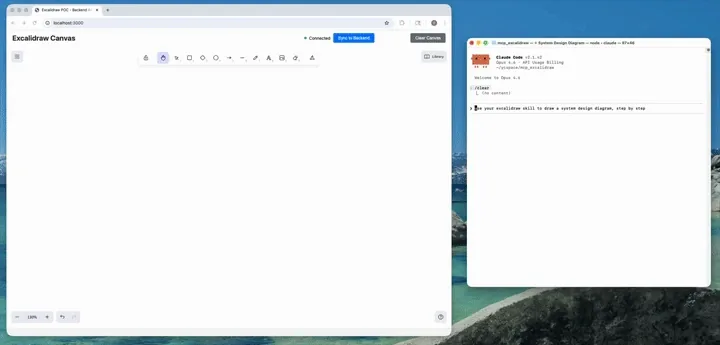
An Agent Skill, CLI and MCP server that lets coding agents like Claude Code draw diagrams on a live Excalidraw canvas.
- Ecosystem
- Agent Skills
- Skill category
- Design
- Creator / organization
- yctimlin(X @ycalintim)
What it is
mcp-excalidraw-server, built by yctimlin, gives AI agents a live Excalidraw canvas they can draw on, look at, refine, and save into your repo. It offers three ways to use it: an Agent Skill with a CLI, an MCP server (27 tools), and a REST API. The page recommends the Agent Skill plus CLI route for coding agents such as Claude Code, Codex CLI, Cursor and OpenCode. The page states it is not affiliated with the Excalidraw team.
Highlights:
- Agents can create architecture diagrams and flowcharts programmatically and see their own work through screenshots.
- Diagrams can be exported as .excalidraw files and saved into your code repository.
- The Agent Skill plus CLI route needs zero config, starts the canvas automatically, and uses JSON in and out.
- Core drawing runs locally and needs no API keys or accounts.
How to use:
- First, make sure Node.js 20 or later is installed.
- Then run `npx -y mcp-excalidraw-server install-skill --dir <directory>` to install the Agent Skill, or run `npx -y mcp-excalidraw-server <command>` to use the CLI.
- Finally, ask your coding agent to draw with it. For MCP clients, set command to npx and args to -y mcp-excalidraw-server.
Who it's for:
Developers who want their AI coding agent to draw architecture diagrams and flowcharts and save them into a code repository.
Before you start:
- Requires Node.js 20 or later. You can also use the Docker image ghcr.io/yctimlin/mcp_excalidraw:latest, or clone the repository and run npm ci and npm run build.
- MCP clients listed on the page include Claude Desktop, Claude Code, Cursor, Codex CLI, OpenCode and Antigravity.
- The canvas server binds to 127.0.0.1 only by default and the API has no built-in authentication. If you set HOST=0.0.0.0 to expose it, add network-level access controls yourself.
- Outbound traffic is limited to the canvas page loading fonts from the esm.sh CDN, and the optional share feature that uploads an encrypted scene to excalidraw.com (or your own instance).
- MCP file tools can only access files inside EXCALIDRAW_EXPORT_DIR. If EXCALIDRAW_DATA_DIR is enabled, diagrams and embedded images are saved there, and the page advises keeping it outside your repository and shared directories.
- License: MIT.
- If you use these features, weigh the safety risks yourself. AI Inspiration World is not responsible for any consequences.
Based on the project's public documentation. Not tested by AI Inspiration World.