
 AI Inspiration World
Added Nov 14, 2026
loopx
A local-first control layer for long-running AI agent work that keeps goals, decisions and evidence across sessions.
- Ecosystem
- Agent Skills
- Skill category
- Productivity
- Creator / organization
- LoopX contributors(GitHub loopx-project)
More images
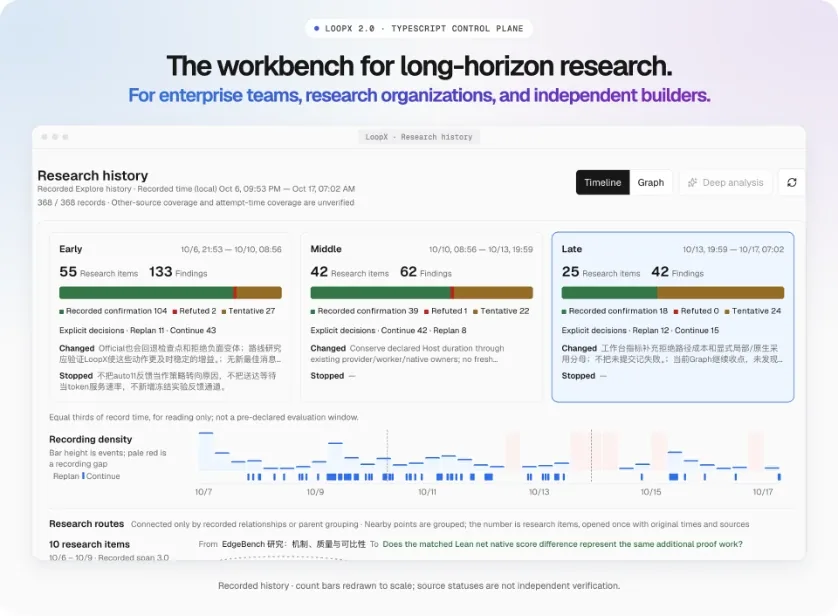
Screenshot from the project's website. All rights belong to the original creator. Contact us if you would like it removed.
What it is
LoopX is developed by LoopX contributors and created by @huangruiteng. It is a local-first control layer for long-running agent work. It keeps goals, tasks, decisions, ownership and evidence durable across sessions and runtimes, so work can continue after a restart. The model and tools come from the Agent runtime you already use, such as Codex, Claude Code or DeepSeek Harness. The page says LoopX itself is a control layer, not an agent framework or runtime. What stands out: goals and evidence stay local, so a new session can pick up where the last one stopped.
Highlights:
- Works with runtimes such as Codex App, Codex CLI, Claude Code, DeepSeek Harness, OpenCode and Cursor
- Keeps goals, decisions, ownership and evidence across sessions
- Has a browser dashboard (loopx dashboard) and desktop previews for macOS and Windows
- Dangerous permissions, publishing, production writes and final ownership stay with the human
How to use:
- First, install Python 3.11+ and Node.js 22.22.3+ (24 LTS recommended)
- Then run `python3 -m pip install --upgrade loopx && loopx workflow-skills --install`
- Finally, tell the Agent you already use what you want done, and LoopX keeps the progress and evidence in the background
Who it's for:
People who give long tasks to agents like Codex or Claude Code and want to continue after switching sessions.
Before you start:
- Needs Python 3.11+, Node.js 22.22.3+, your own Agent runtime and a model account
- Basic usage statistics are on by default (a daily random-ID heartbeat and ID-free CLI counts); the page says no content is collected, and you can turn it off with `loopx usage-ping disable`
- The Windows preview installer has no Authenticode certificate and may trigger SmartScreen; the macOS app is ad-hoc signed and not notarized
- Cost: not stated on the page