
 AI Inspiration World
Added Nov 15, 2026
blender-skills (kevinbadi)
Claude Code skills that drive Blender via MCP to turn photos into 3D models and render product animations.
- Ecosystem
- Claude
- Skill category
- Media
- Creator / organization
- kevinbadi(GitHub kevinbadi)
What it is
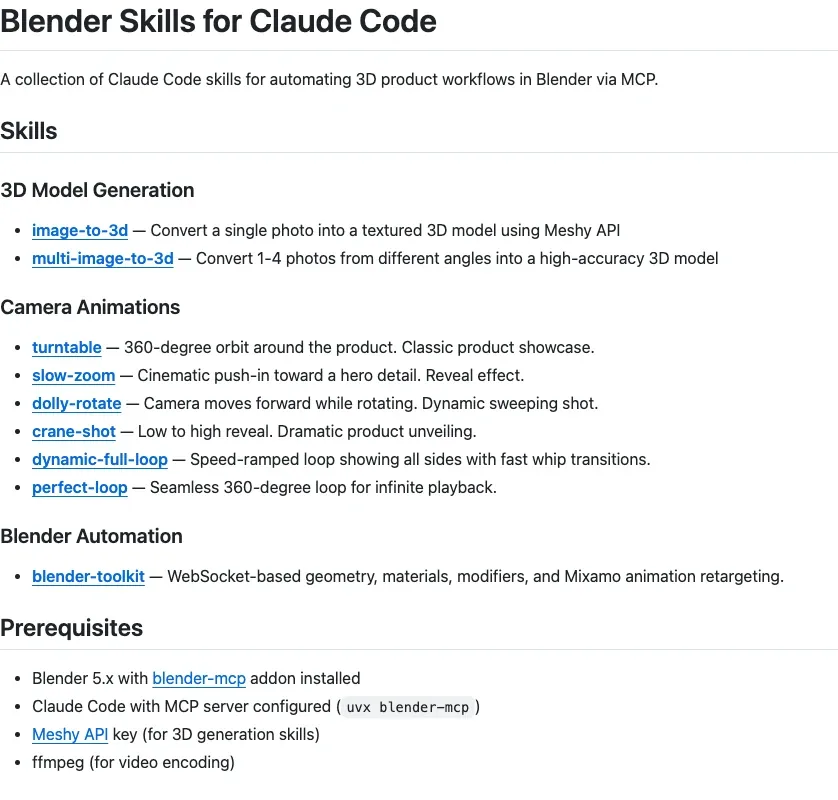
blender-skills is a set of Claude Code skills published by the GitHub account kevinbadi. It automates 3D product workflows in Blender via MCP (Model Context Protocol, an interface that lets AI call external tools). It covers turning photos into 3D models, several camera animations, and a toolkit for geometry, materials and Mixamo animation retargeting. You tell Claude Code what you want in plain language, and the matching skill drives Blender. What stands out: 3D modeling, camera moves and video output are tied into workflows you can trigger by just asking.
Highlights:
- Uses the Meshy API to turn a single photo into a textured 3D model, or 1 to 4 photos from different angles into a higher-accuracy model
- Offers camera animations such as turntable, slow push, dolly with orbit, crane and loops
- blender-toolkit is WebSocket-based and handles geometry, materials, modifiers and Mixamo animation retargeting
- Videos render as ProRes 4444 with a transparent background, 1920x1080 at 24fps by default, saved to ~/Desktop/Blender Videos/
How to use:
- First, install the skills into your project's .claude/skills/ directory
- Then, open the N-panel in Blender, go to BlenderMCP and click Connect to Claude
- Finally, describe the 3D model or camera animation you want to Claude Code in plain language
Who it's for:
Creators and developers who make 3D product showcases and want Claude Code to operate Blender for them.
Before you start:
- You need Blender 5.x with the blender-mcp addon, an MCP server set up in Claude Code (uvx blender-mcp), and ffmpeg for video encoding
- The 3D generation skills need a Meshy API key and send your photos to the external Meshy service
- Pricing and Meshy's fees are not stated on the pages
- The repository has no separate license file. If you use these features, weigh the safety risks yourself. AI Inspiration World is not responsible for any consequences.
Based on the project's public documentation. Not tested by AI Inspiration World.