
 AI Inspiration World
Added Nov 27, 2026
fcp-mcp-server
fcp-mcp-server lets video editors use Claude and other clients to analyze and edit Final Cut Pro timelines.
- Ecosystem
- Agent Skills
- Skill category
- Media
- Creator / organization
- DareDev256
More images
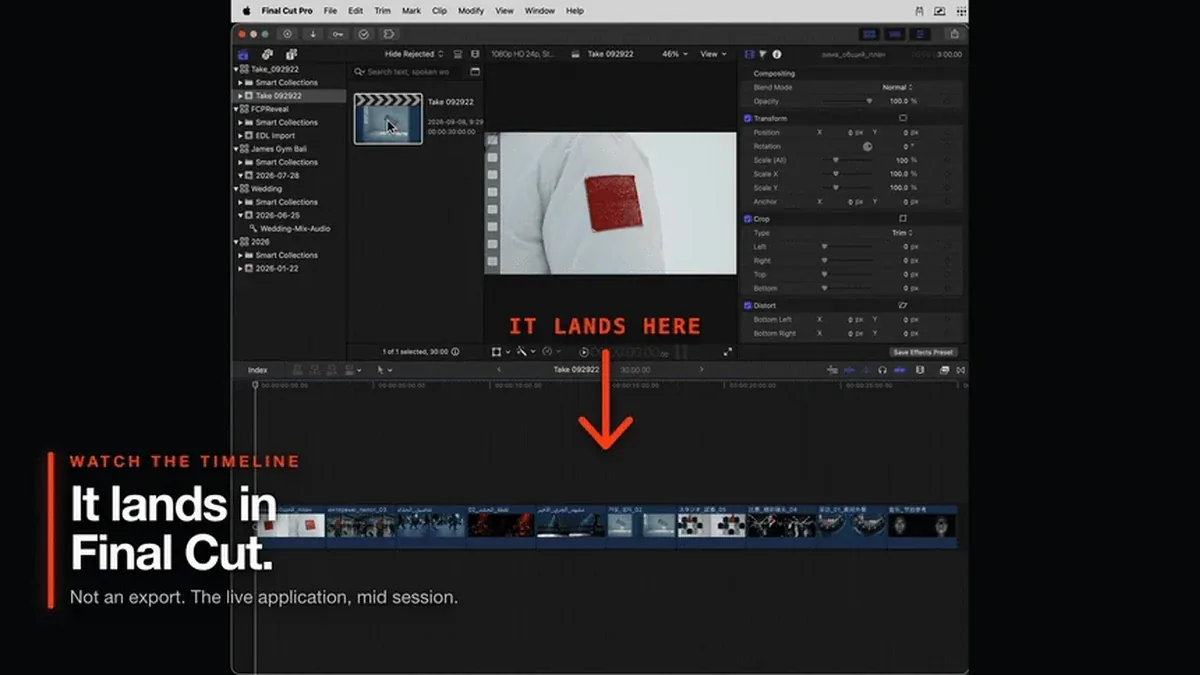
Screenshot from the project's website. All rights belong to the original creator. Contact us if you would like it removed.
What it is
fcp-mcp-server is an MCP server by DareDev256 that lets clients such as Claude read and write Final Cut Pro FCPXML project files. It can analyze and edit timelines and push XML into a running Final Cut Pro session. The project also provides six MCP skills and a Claude Code skill to guide clients through editing workflows.
Highlights:
- Trim and split clips, remove silence, and add markers from transcripts.
- Check projects, export timelines, and push XML to a running Final Cut Pro session.
- Write operations are journaled and can be undone.
How to use:
First, run `claude mcp add fcpxml -e FCP_PROJECTS_DIR=~/Movies -- uvx fcp-mcp-server` in Claude Code. Then ask Claude to analyze or edit a project.
Who it's for:
Video editors who want to work on Final Cut Pro projects through Claude or another MCP client.
Before you start:
- You need Final Cut Pro on a Mac and an MCP-compatible client. The project supports Python 3.10 through 3.12.
- The server can read project files, source media, and transcripts, and write files. The default project directory does not restrict which files can be opened; set `FCP_PROJECTS_DIRS` to limit read access.
- Pushing XML to a running Final Cut Pro session prompts for macOS Automation permission on first use. Audio leaves your computer when using ElevenLabs transcription. Video generation requires a provider API and key, may use frames from source clips, and incurs charges.
- If you use these features, weigh the safety risks yourself. AI Inspiration World is not responsible for any consequences.
Based on the project's public documentation. Not tested by AI Inspiration World.