
 AI Inspiration World
Added Nov 27, 2026
BifrostMCP
BifrostMCP is a VS Code extension that lets AI coding assistants search symbols, find references, and rename code.
- Ecosystem
- Other
- Skill category
- Coding
- Creator / organization
- biegehydra
More images
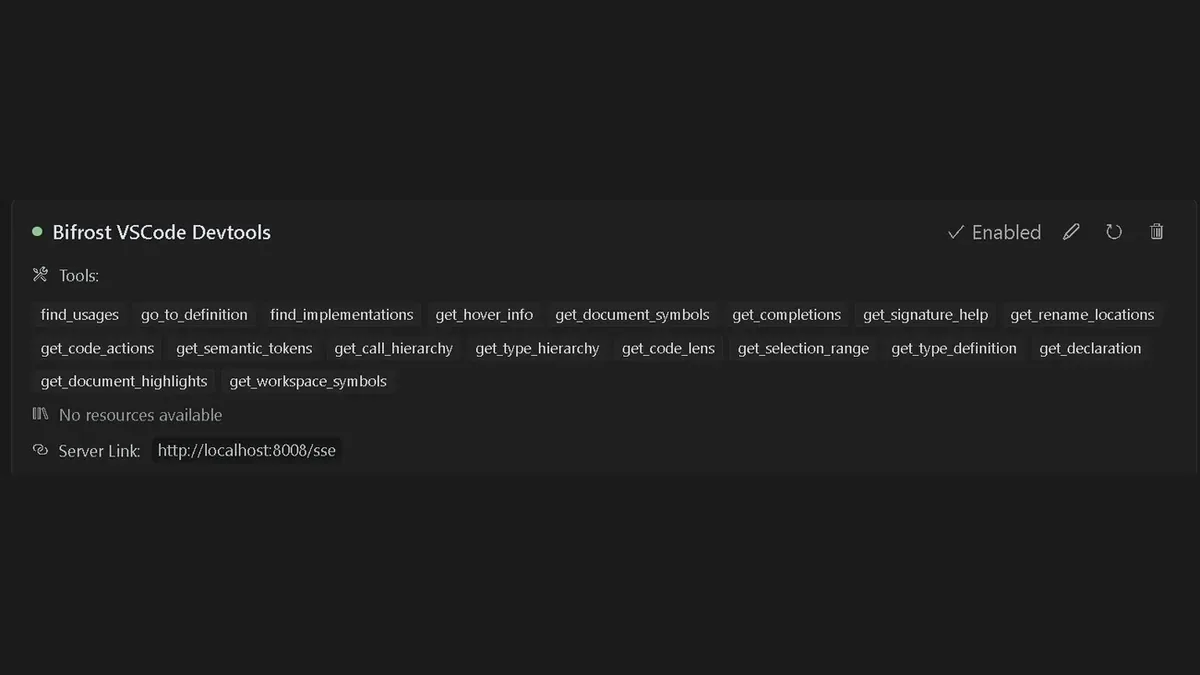
Screenshot from the project's website. All rights belong to the original creator. Contact us if you would like it removed.
What it is
BifrostMCP is a VS Code extension from the biegehydra repository. It provides a Model Context Protocol (MCP) server that gives compatible AI coding assistants access to VS Code's navigation and language features. The server starts when the extension is activated, and separate ports can be configured for different projects.
Highlights:
- Search workspace symbols, inspect file symbols, and find references.
- Rename code symbols.
- Configuration examples are provided for Cline, Roo Code, and Cursor.
How to use:
First, install BifrostMCP and any needed language extensions from the VS Code marketplace. Then open a project in VS Code and configure an MCP-compatible tool using the project instructions.
Who it's for:
Developers who want their AI coding assistant to use VS Code's code navigation features.
Before you start:
Visual Studio Code 1.93.0 or later is required. The extension starts a local MCP server on port 8008 by default; the port can be changed in bifrost.config.json. Connected tools can search workspace symbols and rename them, so review their actions. The project uses the AGPL-3.0 license. Pricing is not specified.
Based on the project's public documentation. Not tested by AI Inspiration World.