
 AI Inspiration World
Added Nov 13, 2026
ALTER
A free Claude skill for changing a product, person or style in video while retaining elements of the original take according to the mode.
- Ecosystem
- Claude
- Skill category
- Media
- Creator / organization
- Scenario
More images
Screenshot from the project's website. All rights belong to the original creator. Contact us if you would like it removed.
What it is
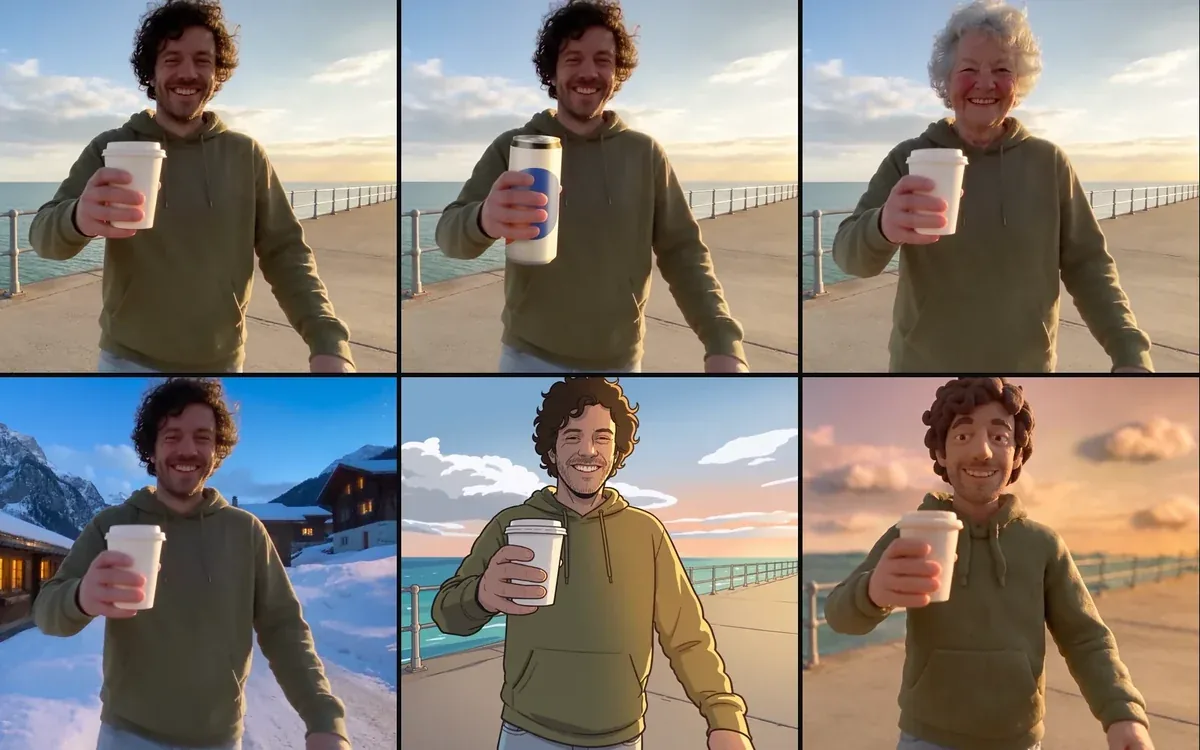
ALTER is an exploration by Scenario. The page describes it as a free Claude skill for Claude Code and the Scenario MCP. The page demonstrates it with one eight-second take: Scenario made the take to look like a friend's phone video, and the skill then changed it eleven ways, each version lining up with the take frame for frame so you can switch while it plays. It has three modes: Swap (keep everything, change one thing), Motion transfer (keep the performance and camera, change who or where) and Restyle (keep the motion and framing, change the whole look). What makes it special is that it starts from what has to stay, then picks the mode.
Highlights:
- 36 built-in presets cover the Swap, Motion transfer and Restyle modes, or you can describe the change in plain words
- To swap a product, you first photograph the new product into one frame of the take as a target frame, and the page says this makes the product look photographed rather than pasted on
- Every draft is measured against the take for length, how much changed, structure, motion, jumps, tail drift and frozen frames, while brand marks, hands and text are checked by eye
- The source sound goes back on so lips and steps stay in sync, and a new place gets its own ambience
How to use:
- First, download scenario-alter-skill.zip from the page and run `unzip scenario-alter-skill.zip -d ~/.claude/skills/`.
- Then connect the Scenario MCP in Claude Code and tell it: "Alter this clip: swap the cup for my product, then make three outfit versions."
- Finally, look at the 480p drafts first and finalise only the ones that pass the checks.
Who it's for:
People who want to change a person, product or style in a video, retain elements of the original take according to the selected mode, and use Claude Code.
Before you start:
- You need Claude Code with the Scenario MCP connected. The local scripts need Python 3 with numpy and Pillow, and ffmpeg.
- It can swap people, products and places in your own video, and the page does not say how your video is stored. If you use these features, weigh the safety risks yourself. AI Inspiration World is not responsible for any consequences. Only use material you have the rights to; you are responsible for compliance.
- The skill is free. The page mentions viewing a 480p draft before paying for the full render, so check the official website for costs.
- License: check the official website. Content belongs to the original creator.
Based on the official website. Not tested by AI Inspiration World.
Based on the project's public documentation. Not tested by AI Inspiration World.