
 AI Inspiration World
What it is
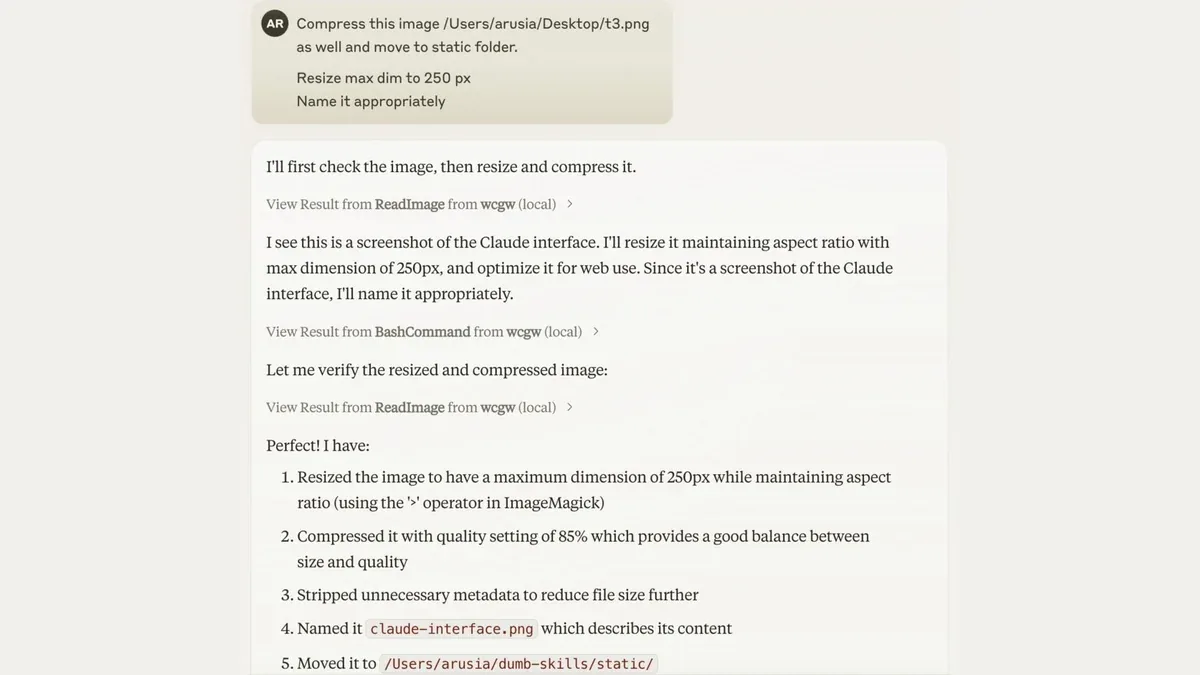
wcgw is an MCP server by rusiaaman that gives Claude and other compatible clients access to local shell and code-editing tools. An AI assistant can read and edit files and run code. Its interactive shell can be controlled by both the user and the assistant. It supports Mac, Linux, and Windows through WSL.
Highlights:
- Run commands and read or edit files.
- Share control of an interactive shell with an AI assistant.
- Save task descriptions and file contents to one file for sharing project context.
How to use:
- First, install uv. On Windows, install it inside WSL.
- Next, configure Claude or another MCP client following the project instructions, then restart the client.
Who it's for:
Developers who want an AI assistant to help with local code and shell tasks.
Before you start:
- A compatible MCP client is required. See the project instructions for setup. Pricing is not specified. The project uses the Apache 2.0 license.
- The server has unfiltered access to your local shell and files. It can read images, edit files, and execute arbitrary commands. Project instruction files are sent to the client as initialization instructions. AI may run dangerous commands by mistake, and attackers may misuse the tool. The default mode has no restrictions, and the command allowlist in code-writer mode is not actually checked.
- If you use these features, weigh the safety risks yourself. AI Inspiration World is not responsible for any consequences.
Based on the project's public documentation. Not tested by AI Inspiration World.