
 AI Inspiration World
What it is
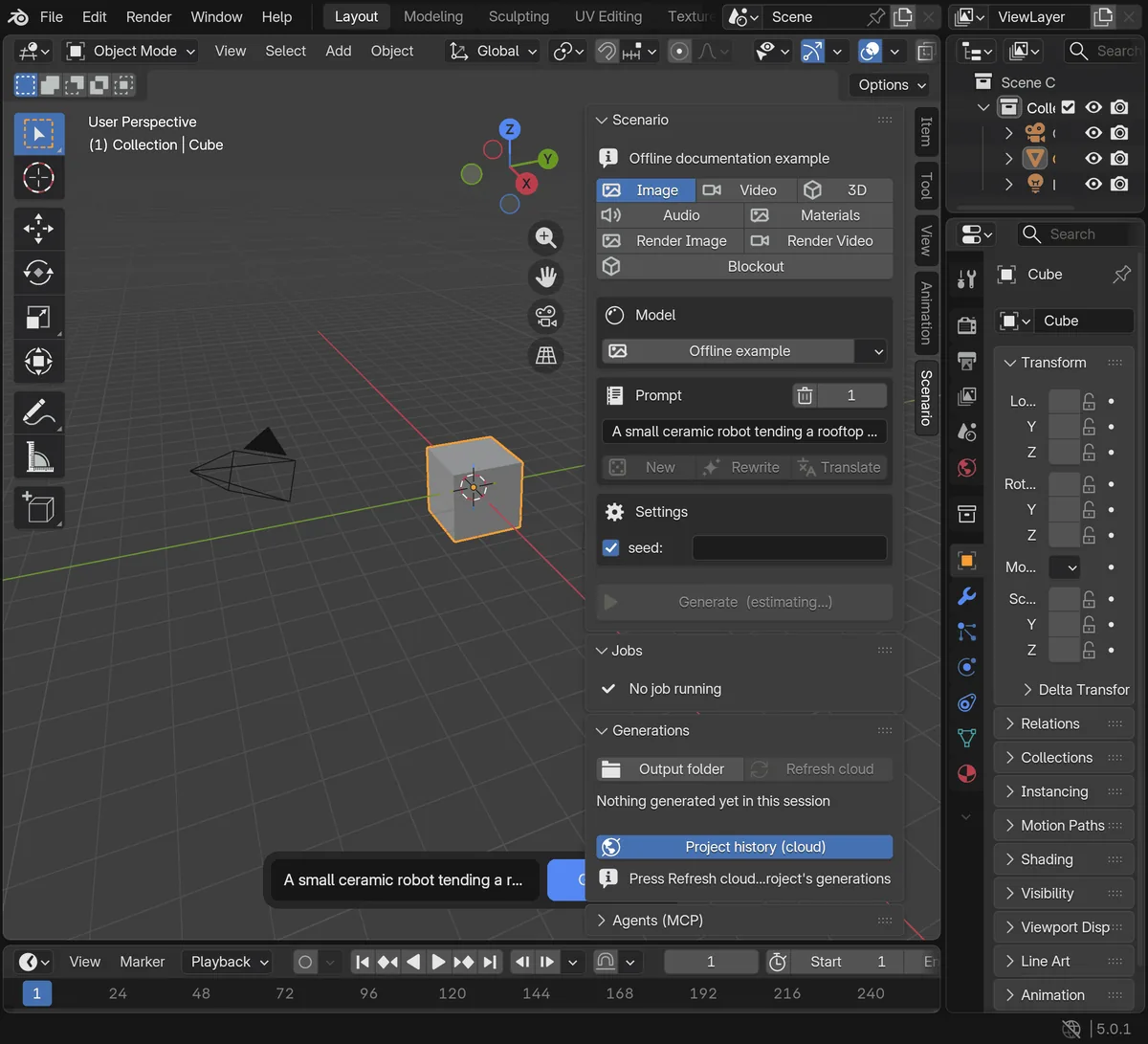
Scenario for Blender is an open-source Blender extension from Scenario (GitHub scenario-labs); the README marks it as experimental. It brings Scenario image, video, 3D, PBR material, audio and 360 environment generation into Blender. You can use scene captures and selected meshes as inputs, explore camera moves, and turn a written scene description into a greybox layout with Blockout. Results appear in Generations and your output folder, ready to view or import. It also ships a local MCP server (an interface that lets AI agents call tools) that connects to Claude Code, Codex, Cursor or Claude Desktop with one click. The team says on X that it puts about 500 models in one tab, for humans or agents. What sets it apart is that it uses your current scene as the reference, and generated materials, environments and audio go back into the scene and timeline.
Highlights:
- Materials generates saved PBR texture sets and applies them to a chosen mesh material slot.
- Environment generates 360 panoramas and HDRIs and applies them to the scene World.
- Film tasks turn a JSON recipe into shots, a timeline, a review scene and an exported video.
How to use:
- First, turn on Allow Online Access under Edit > Preferences > System > Network in Blender.
- Then add the remote repository `https://blender.scenario.com/repo/index.json` under Get Extensions > Repositories and install Scenario.
- Finally, create an API key in Scenario's organization settings, paste it into the extension preferences and press Test connection, then press N in the 3D viewport to open the Scenario panel.
Who it's for:
People building 3D scenes, animation or game assets in Blender who want to call AI generation from inside it.
Before you start:
You need Blender 5.0 or later, a Scenario account with API access (sign in or use an API key) and an internet connection. Generations and prompt helpers use Scenario Creative Units, so check the estimate before you generate. The local MCP server defaults to `http://127.0.0.1:9876/mcp` and needs no credential, so any program on the computer can connect; connected agents can read the scene and request paid work. Running arbitrary Python is a separate permission that is off by default. If you use these features, weigh the safety risks yourself. AI Inspiration World is not responsible for any consequences. Refer to the official website for costs. The license is GPL-3.0-or-later, and the repository has a separate trademark notice.
Based on the project's public documentation and the team's post on X. Not tested by AI Inspiration World.