
 AI Inspiration World
More images
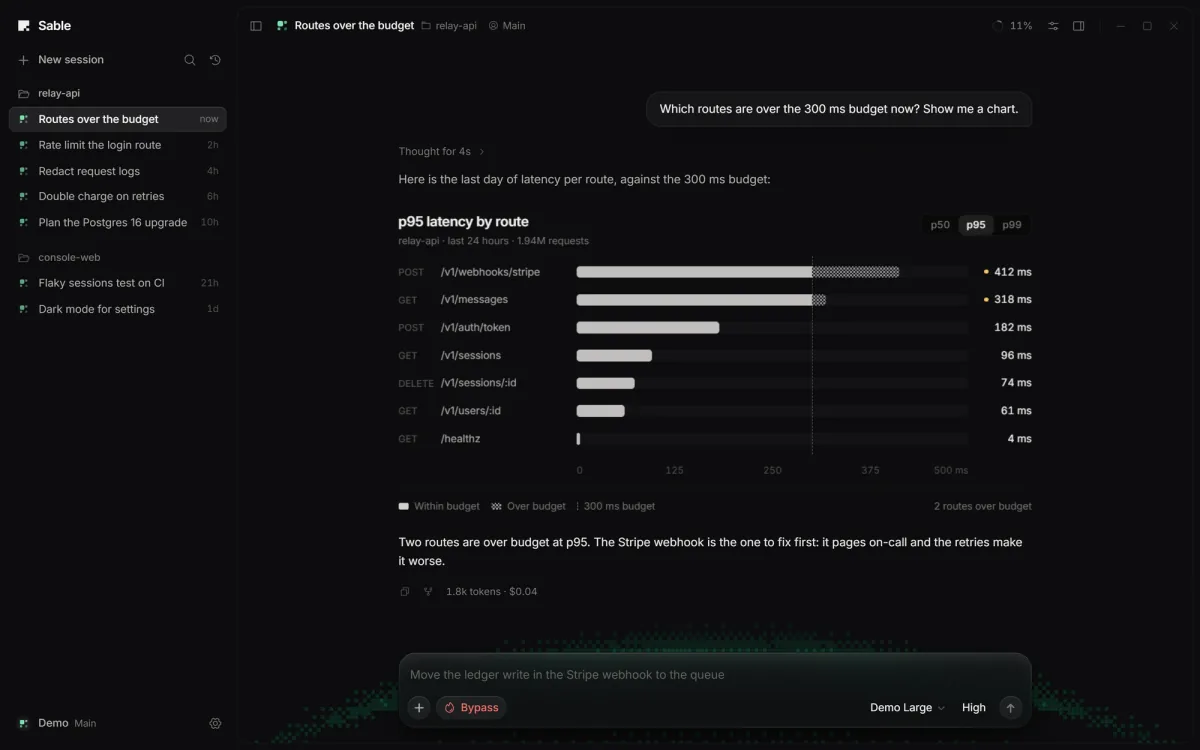
Screenshot from the project's website. All rights belong to the original creator. Contact us if you would like it removed.
What it is
Sable is a desktop app by Leonxlnx for working with coding agents. It runs Claude Code or the Codex CLI that you have already installed and signed in to, showing agent activity in a conversation alongside files, changes and tasks. Sable has no model or account of its own and supports Windows 10 and 11.
Highlights:
- Follow what an agent is doing in the conversation, with charts and small interactive views in answers.
- Use the side panel to view files, changes, a browser, a terminal and agent tasks.
- Review changes in permission cards and allow once, always allow or deny.
How to use:
- First, install and sign in to Claude Code or the Codex CLI.
- Then download and run the installer from the project's Releases page and open Sable.
Who it's for:
Developers who want a desktop interface for working with coding agents and reviewing project changes.
Before you start:
You need Windows 10 or 11 and an installed, signed-in Claude Code or Codex CLI. Sable reads usage from agent transcripts stored on disk and keeps its own data in ~/.sable, which is not deleted by the uninstaller. The project says Sable uses the agents' own sign-in and does not see passwords or tokens. The installer is not code-signed, so Windows SmartScreen warns on first run. Pricing is not specified; the project uses the MIT license.
Based on the project's public documentation. Not tested by AI Inspiration World.