
 AI Inspiration World
More images
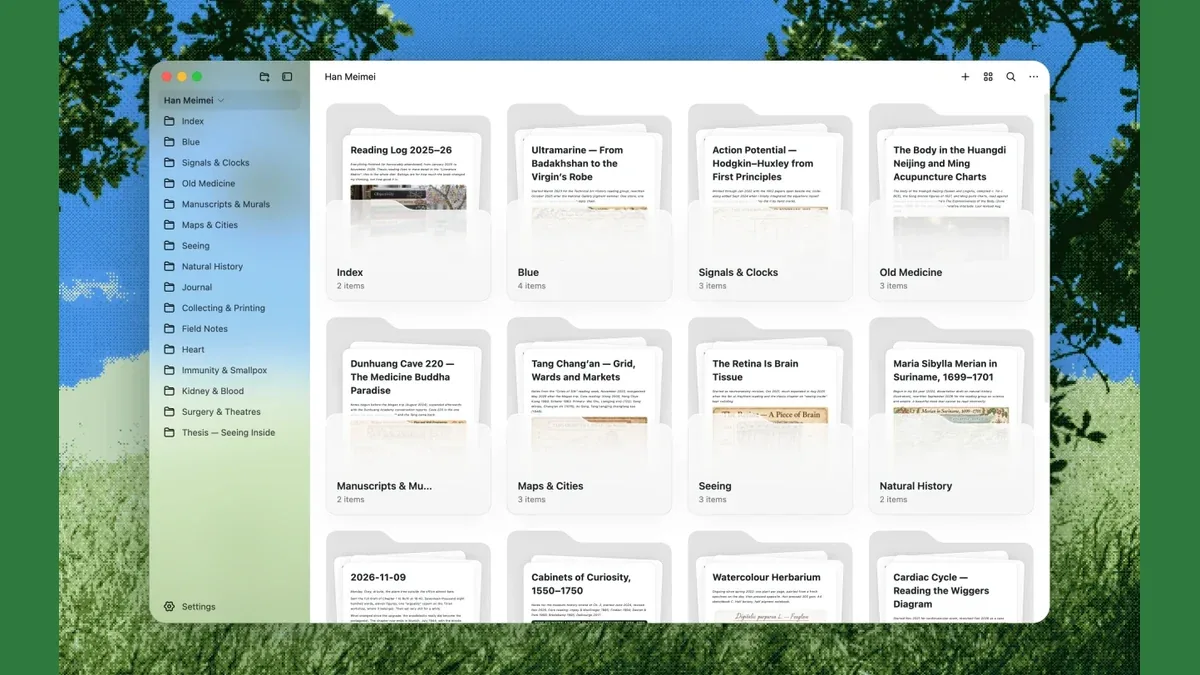
Screenshot from the project's website. All rights belong to the original creator. Contact us if you would like it removed.
What it is
quiet.md by s1dashu is a local-first notes app for macOS, Windows, and experimental Linux builds. It organizes notes in real folders on your computer, formats Markdown, and includes whiteboards inside notes. Its command-line tool lets AI agents such as Claude Code and Codex read, search, and edit the same library.
Highlights:
- Sidebar folders correspond to real folders on disk, and notes are saved as files.
- Whiteboards support shapes, arrows, freehand drawing, text, and images.
- On first launch, the app can find and copy libraries from other notes apps while leaving the originals intact.
How to use:
- First, download and install the version for your system from GitHub Releases.
- Then open the app and create notes or follow the prompts to copy an existing library. To let an AI agent work with notes, use the quiet command-line tool and Agent Skill.
Who it's for:
People who want to organize local notes and use an AI agent to help find or edit them.
Before you start:
- Installing the Agent Skill requires Node.js.
- AI agents can read, search, and edit the notes library through the command-line tool. Consider what they can access before using it.
- The app and command-line tool send anonymous daily usage counts by default. The command-line count does not include note contents and can be turned off. Update checks and user-initiated font downloads use the internet; update checks can be turned off.
- The app is free and open source, with code under the MIT license. Some icons, the product name, and the app icon are outside that license; see the project documentation for details.
Based on the project's public documentation. Not tested by AI Inspiration World.