
 AI Inspiration World
What it is
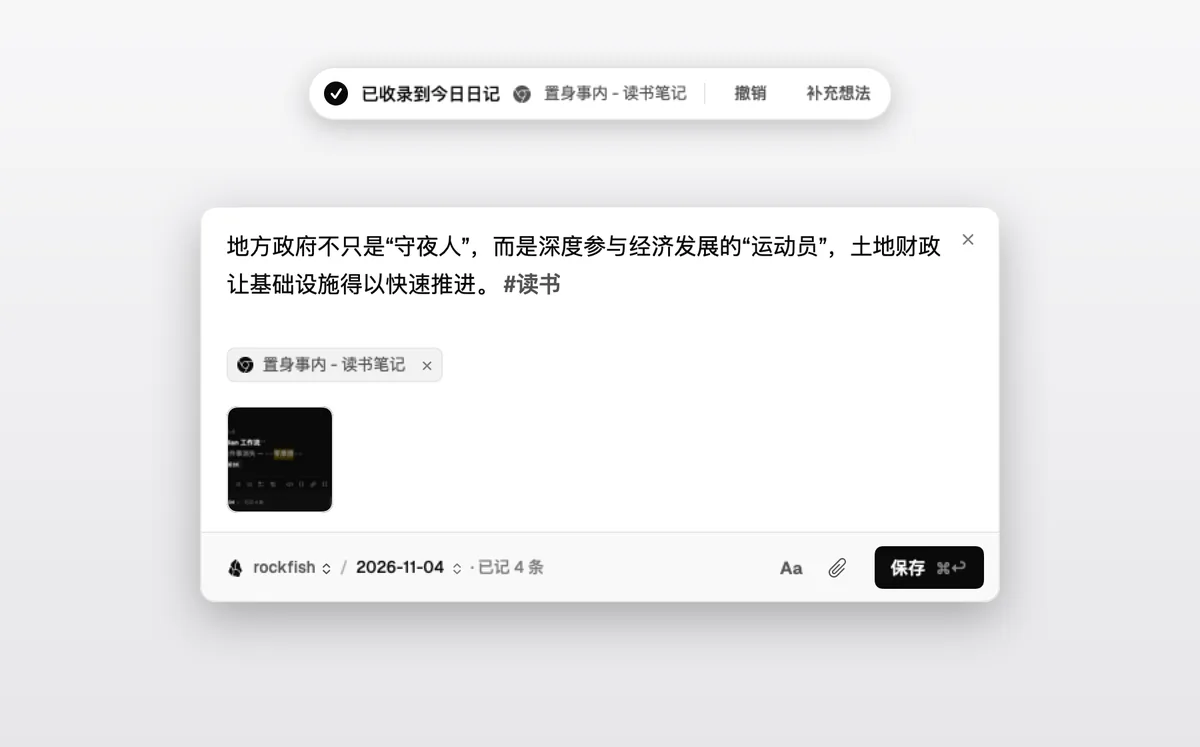
Jot (乔木闪记) was designed and developed by 向阳乔木 (Xiangyang Qiaomu). It is a free, open-source quick-capture tool for macOS and Windows. Press a shortcut to save ideas, selected text, screenshots and files as they are into your Obsidian daily note or any Markdown folder, with the source attached. The author says on X that a daily AI summary review has been added. It works with cloud models or a local CLI (command-line tool, no API setup), summarizes on a schedule in a style you choose, and lets you look back at past summaries. The Windows version is a native app written by community contributor @w18774994563 with .NET 9 and WPF, and it is currently a test version.
Highlights:
- One shortcut saves text, screenshots and files into Markdown notes with the source attached
- A daily AI summary review, using cloud models or a local CLI, on a schedule and in a style you set
- The website says text recognition, format conversion and search run on your device, with no sign-up, sync, upload or tracking
- MIT licensed, for macOS and Windows
How to use:
- First, download it from the official website: on Mac, get Jot.dmg and drag it into Applications; on Windows, unzip it and run QiaomuJot.exe
- Then choose where notes go, either your Obsidian daily note or any Markdown folder
- Finally, press the shortcut whenever you want to save something, and use the daily AI summary to look back at a day or past entries
Who it's for:
People who come across many scraps of information every day and want to keep them in Obsidian or Markdown notes.
Before you start:
- Systems: macOS 13 or later, or Windows 10 2004 or later and Windows 11 (x64); no iPhone or Android version yet
- It needs the Accessibility permission to read selected text in other apps; browser title and screen capture permissions are requested only when first used
- When saving a web page it simulates one ⌘C and restores your clipboard afterward; password fields and password manager content are not saved
- Pasting a bare link makes one network request to fetch the page title, which can be turned off in settings; how the daily AI summary connects to cloud models is not stated on the pages
- The Windows version is not code-signed, so a SmartScreen prompt may appear on first run, and the Windows test version has no auto-update yet
- Free with no ads; licensed under MIT
Based on the official website and the author's post on X. Not tested by AI Inspiration World.