
 AI Inspiration World
More images
What it is
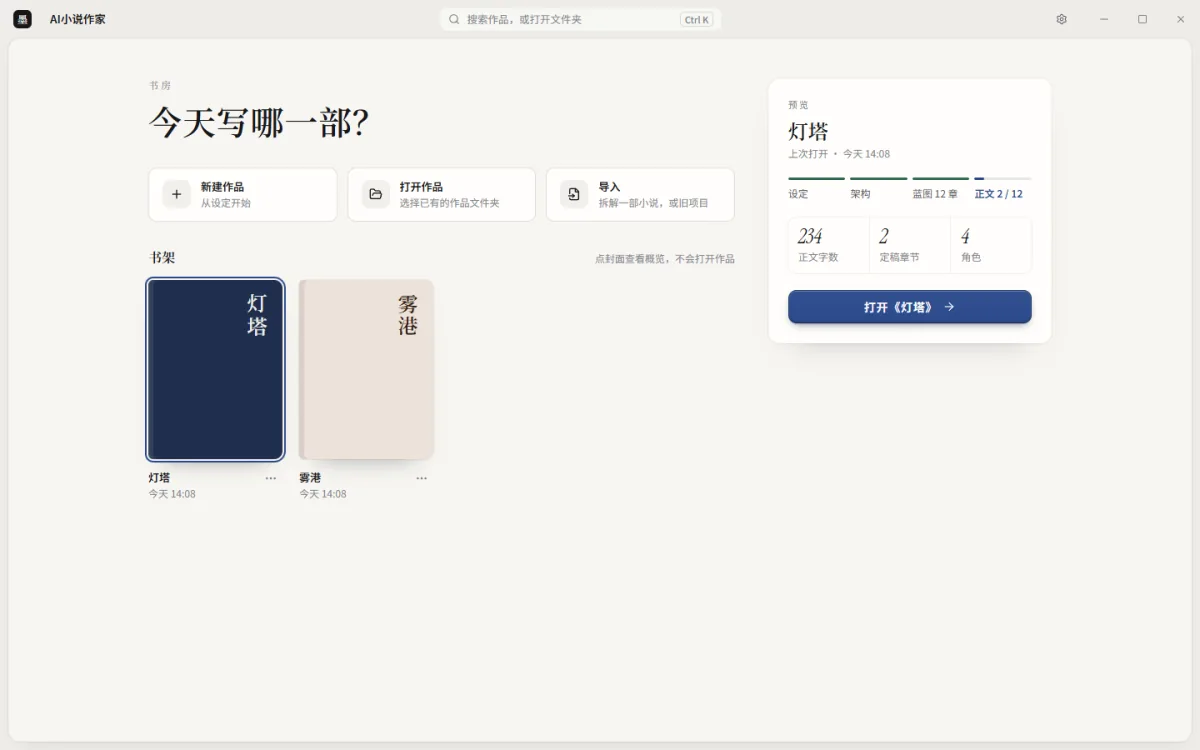
Pagekin (formerly AI Novel Writer) is a free, open-source desktop app maintained by GitHub user EthanYoQ, designed for long novels and web fiction serials. It follows the order of writing a book: setting, architecture and chapter blueprint, then draft, review, revision and final copy, one chapter at a time. The AI drafts and you confirm each step. It runs on Windows and macOS. Your work stays on your own computer and the app bundles no model: you connect your own API key (a key for a model service) or run a model locally with Ollama.
Highlights:
- It can break down a reference novel to imitate its style, continue from your imported manuscript, rewrite a whole chapter, or polish, expand or turn a selected passage into dialogue
- Revision results are compared with your original paragraph by paragraph, and you pick which version to keep
- You can import prompt-based writing Skills, such as "remove the AI flavor", and the app shows you the content before you install it
- Presets are built in for DeepSeek, SiliconFlow, BigModel, OpenAI, xAI, Gemini, Ollama and NovelAI
How to use:
- First, download the installer for your system from GitHub Releases and install it.
- Then enter a model service address, model name and API key in Settings, or connect a local Ollama model.
- Finally, create a work in the library and write in the order of setting, architecture, blueprint and chapter text, confirming each step before moving on.
Who it's for:
Authors who want AI help with long novels or web fiction serials and want their work to stay on their own computer.
Before you start:
- You need Windows x64 or macOS (Apple Silicon and Intel), and you set up your own model, since the app bundles none.
- The Windows installer is not code-signed and may show an unknown publisher warning. The macOS packages only have an ad-hoc signature, with no Developer ID signing or notarization. The README asks you to confirm the download page is the project's official GitHub Release first.
- Works, characters, blueprints and drafts are stored on your computer. With a cloud model, prompts and context are sent to the service you choose, and the API key is saved in the local app data folder. The app can back up your work to a WebDAV cloud you bind, and can import a Skill from a GitHub address. Checking for updates only reads the public GitHub Release.
- If you use these features, weigh the safety risks yourself. AI Inspiration World is not responsible for any consequences.
- Only use material you have the rights to; you are responsible for compliance. The README says the app does not replace the author's creativity, fact checking or copyright judgment, and AI output needs your review.
- The app is free. Cloud model costs are settled between you and the model provider, and running a local model with Ollama needs no payment to any provider.
- License: GPL-3.0. Content belongs to the original creator.
Based on the project's public documentation. Not tested by AI Inspiration World.