
 AI Inspiration World
More images
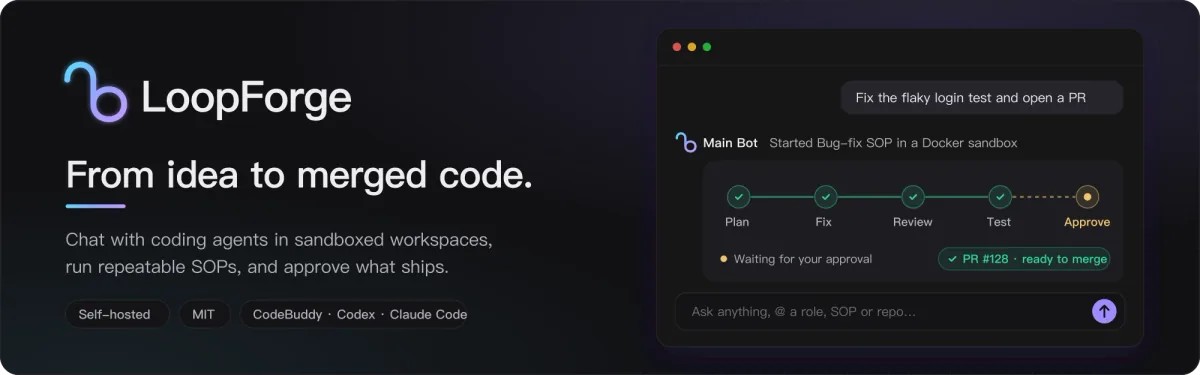
Screenshot from the project's website. All rights belong to the original creator. Contact us if you would like it removed.
What it is
LoopForge is a self-hosted software delivery workspace from Tencent. Teams can describe a task to Main Bot in chat, then use coding agents to work on repositories in Docker sandboxes and open pull requests. Agents, scripts and human approvals can also be saved as reusable standard operating procedures (SOPs). The project supports Linux and macOS.
Highlights:
- Coding agents can check out repositories and take on implementation and review roles.
- Reusable workflows can combine agents, scripts and human approval gates.
- Management pages support English and Chinese; the chat workbench uses Chinese.
How to use:
- First, install Git and run `git clone https://github.com/Tencent/LoopForge.git` in a terminal.
- Next, enter the directory and run `cd LoopForge` and `./start.sh`.
- Finally, configure model credentials and GitHub authorization as needed, then use chat or a workflow to handle a task.
Who it's for:
Software teams that want to collaborate with coding agents in a self-hosted environment.
Before you start:
- Docker, Compose, Python 3 and curl are required; macOS needs Docker Desktop. Downloading packages and images requires an internet connection.
- Chat and agent steps require your own executor credentials. GitHub access and repository changes require the appropriate authorization. Model usage is not included; check the provider for costs.
- The tool checks out repositories and can push branches and create pull requests. Its default sandbox uses the host Docker socket, which grants control of the host Docker daemon and is unsuitable for untrusted multi-tenant isolation.
- New installations listen on all network interfaces by default, and signed-in users can read project data in the instance. Configure HTTPS before exposing it externally. If you use these features, weigh the safety risks yourself. AI Inspiration World is not responsible for any consequences.
- The project uses the MIT license; third-party components retain their own license terms.
Based on the project's public documentation. Not tested by AI Inspiration World.