
 AI Inspiration World
What it is
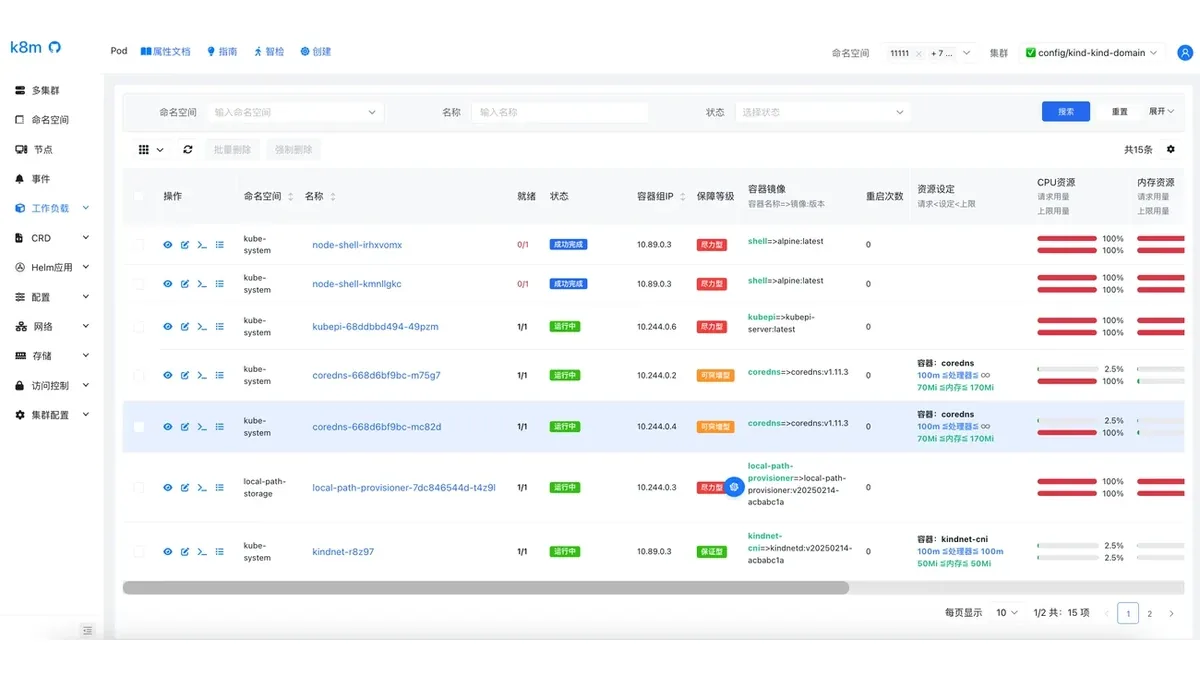
k8m is a Kubernetes console by weibaohui for managing clusters. Operators can connect their own large language model to help interpret logs and resource information. It runs on Linux, macOS, and Windows and can manage multiple clusters from one console.
Highlights:
- Scan configuration files in the same directory as a configured kubeconfig path and register multiple clusters.
- Connect a language model to help interpret logs, resource information, and YAML attributes.
- Detect cluster anomalies and forward inspection results or events to group chats or webhooks.
How to use:
- First, download the appropriate release from GitHub, run `./k8m`, and visit http://127.0.0.1:3618.
- Then configure your clusters and permissions. To use AI features, add a model in the management console and select it as the default.
Who it's for:
For operators and developers who manage multiple Kubernetes clusters.
Before you start:
You need access to a Kubernetes cluster. AI features require your own model API key, API address, and model name; no model is built in. The tool can view and download Pod logs, modify files inside Pods, and run Shell commands, with permissions configurable per cluster. It also scans configuration files in the same directory as the configured kubeconfig path. The default username and password are both k8m; change them and enable two-factor authentication before going live. The project uses the MIT License, and the page does not specify pricing. If you use these features, weigh the safety risks yourself. AI Inspiration World is not responsible for any consequences.
Based on the project's public documentation. Not tested by AI Inspiration World.