
 AI Inspiration World
More images
What it is
HarnessRouter is an open source project on GitHub, and this entry covers the self-hosted Community Edition. The README describes it as an infrastructure layer that turns existing harnesses such as Codex and Claude Code into plug-and-play agent backends, so your product can run tasks, retrieve results and switch harnesses through one API (an interface programs use to call each other). It implements the Unified Harness Protocol (UHP), an open standard, and provides an OpenAI Responses-compatible API that handles persistent sessions, streaming progress, files, artifacts, cancellation and structured failures. It is deployed with Docker (container software), and the README does not list supported operating systems. The same API lets you switch among the 31 harness bases listed in the README.
Highlights:
- The README lists 31 harness bases today, including Codex, Claude Code, Hermes, Pi, DeepSeek Harness and OpenCode
- It implements UHP and provides an OpenAI Responses-compatible API
- It handles persistent sessions, streaming progress, files, artifacts, cancellation and structured failures
- The Community Edition is self-hosted with your own provider keys, on infrastructure you control
How to use:
- First, install Docker, get an API key from a model provider, and run `docker run -d --name harnessrouter -p 127.0.0.1:3000:3000 -v harnessrouter:/data harnessrouter/harnessrouter`.
- Then follow the logs with `docker logs -f harnessrouter` until `[harnessrouter] ready on :3000` appears, open http://localhost:3000, sign in as `harnessrouter`, and read the initial password with `docker exec harnessrouter cat /data/selfhost-initial-password`.
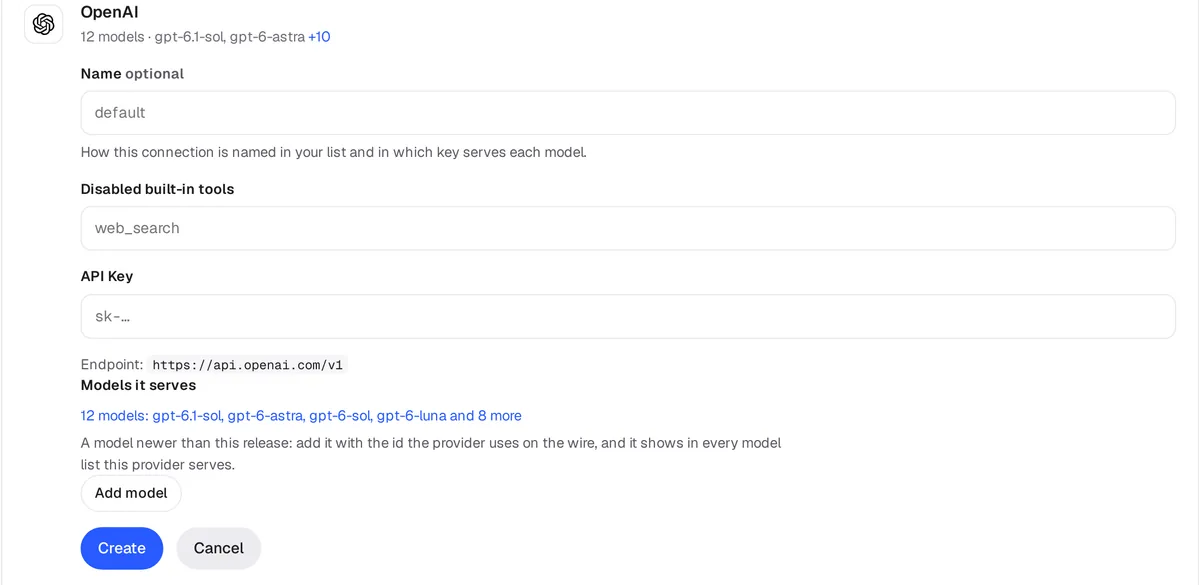
- Finally, add your API key under Bring your own key in the account menu, describe what your agent should do under Start, and send the first task.
Who it's for:
Developers who want to plug many agent harnesses into their own product and are happy to self-host with Docker.
Before you start:
- You need Docker, about 4 GB of disk and an API key from a model provider. No HarnessRouter account is required, and no model or trial key is bundled.
- You need an internet connection to pull the image. The first launch installs the enabled harness command line tools (CLIs).
- The API key you paste into the Console authorizes model requests. The README says the container entrypoint and the Runner need root to manage per-session users, while agent processes run as their session's user, so do not add `--user`. It also advises setting your own password in Profile and keeping the instance local until you do. If you use these features, weigh the safety risks yourself. AI Inspiration World is not responsible for any consequences.
- The Community Edition can be self-hosted. The page does not say whether model providers charge fees. A managed Cloud version also exists; see the official website for its pricing.
- License: Apache-2.0. Content belongs to the original creator.
Based on the project's public documentation. Not tested by AI Inspiration World.