
 AI Inspiration World
More images
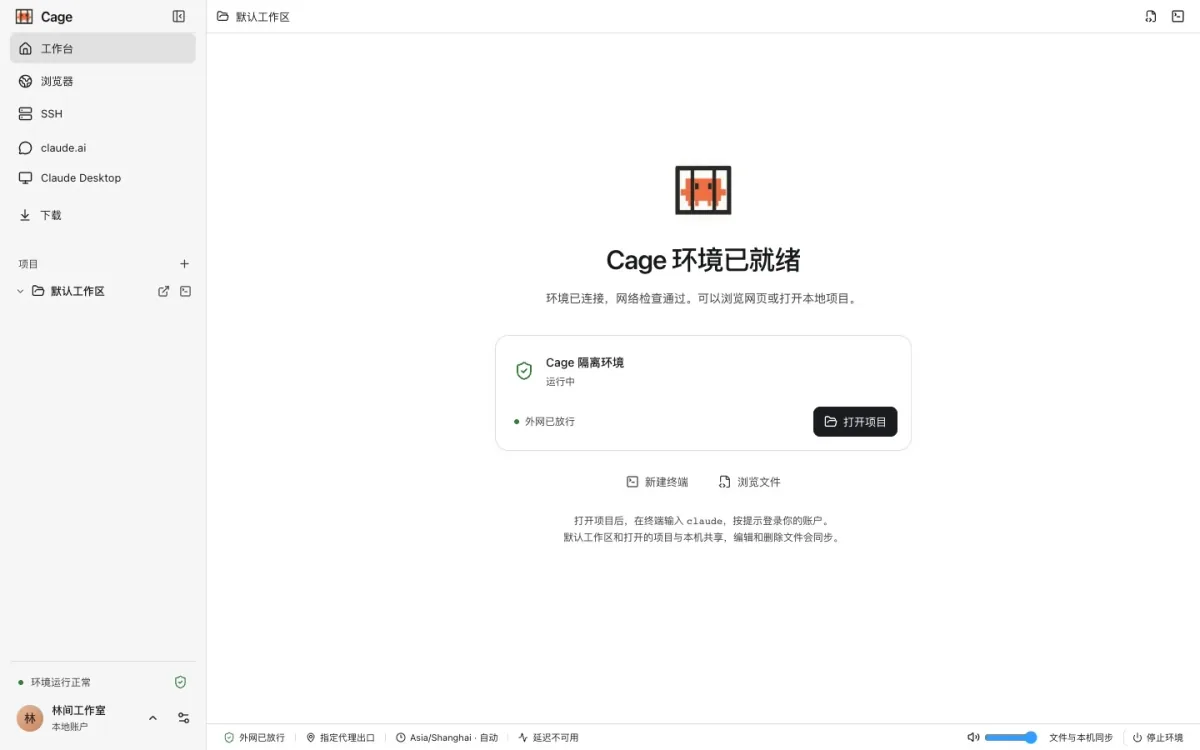
Screenshot from the project's website. All rights belong to the original creator. Contact us if you would like it removed.
What it is
Claude Cage is a desktop application that runs Claude Code and Claude Desktop in a local Debian 13 isolated environment. It uses MCP plugins to control access to host capabilities and helps manage proxy settings and environment checks. It supports macOS, Windows, and Linux, with phone pairing for continuing tasks. Claude Cage is an independent community project and is not affiliated with Anthropic.
Highlights:
- Host plugins are protected by permission declarations and confirmation prompts by default.
- Manage multiple accounts and connect to your own servers through SSH.
- Pair an Android phone or iPhone to continue tasks.
How to use:
- First, open the project page and download the version for your computer.
- Next, follow the app's guidance to configure your own proxy and prepare a Claude account.
- Finally, create an environment and choose a storage location. The app downloads a Debian 13 image and development tools.
Who it's for:
For people who want to use Claude development tools in a local isolated environment.
Before you start:
- You need your own proxy and Claude account. Network traffic inside the environment uses the configured proxy, with no direct connection fallback if it is unavailable.
- The default workspace and explicitly opened project folders are shared. Changes and deletions in shared folders directly affect the original files on your computer. Projects in the same configuration share an environment, accounts, and filesystem.
- Host plugin calls are protected by permission declarations and confirmation prompts. You can connect to your own servers through SSH and, after enabling Tailscale, connect devices according to private network permissions. Network checks do not replace a full virtualization security audit.
- The main project uses the MIT license; bundled components retain their own licenses. See the project's public information for costs.
If you use these features, weigh the safety risks yourself. AI Inspiration World is not responsible for any consequences.
Based on the project's public documentation. Not tested by AI Inspiration World.