
 AI Inspiration World
More images
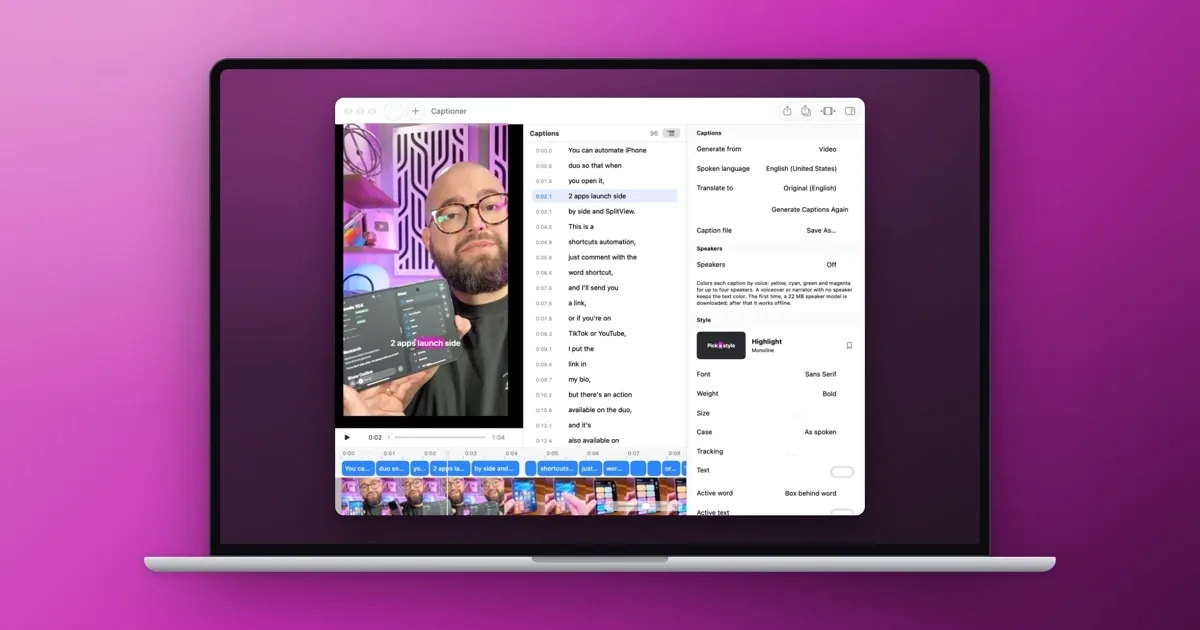
Screenshot from the project's website. All rights belong to the original creator. Contact us if you would like it removed.
What it is
Captioner is a video captioning app by Stephen Robles for Mac, iPhone, iPad and Android. It recognizes speech in videos to create animated word-by-word captions. The Android app uses the Whisper speech model on the device. You can edit the text, adjust its position and export a new video.
Highlights:
- Choose a caption style, edit the text and drag captions into position.
- The Android app supports caption translation and keeps the original audio on export.
- The website says content is not uploaded and no account is required.
How to use:
- First, install and open Captioner and select a video.
- Then, check the caption text and adjust its style and position.
- Finally, export the captioned video.
Who it's for:
For creators who want to add animated word-by-word captions to videos.
Before you start:
- Install the Mac, iPhone or iPad app from the App Store, or download the Mac app directly. On Android, you can install the APK and follow the prompts to allow browser installations.
- The app needs to read the video you select. On Mac, a speech model is downloaded the first time you caption a language, and a language pack is downloaded the first time you translate. The Android app also requires a speech model download.
- The direct-download Mac app requires macOS 26 or later; the Android app requires Android 10 or later. The app is free and MIT-licensed.
Based on the official website's public information. Not tested by AI Inspiration World.